What JSM LaunchPad does and does not do
What JSM LaunchPad does and does not do
JSM LaunchPad installs a working service structure inside Jira Service Management so that requests can route correctly, ownership is defined, and reporting works from day one. It does not attempt to run your service desk for you. It gives you the foundation that everything else connects to.
What LaunchPad does
1. Installs a working service structure
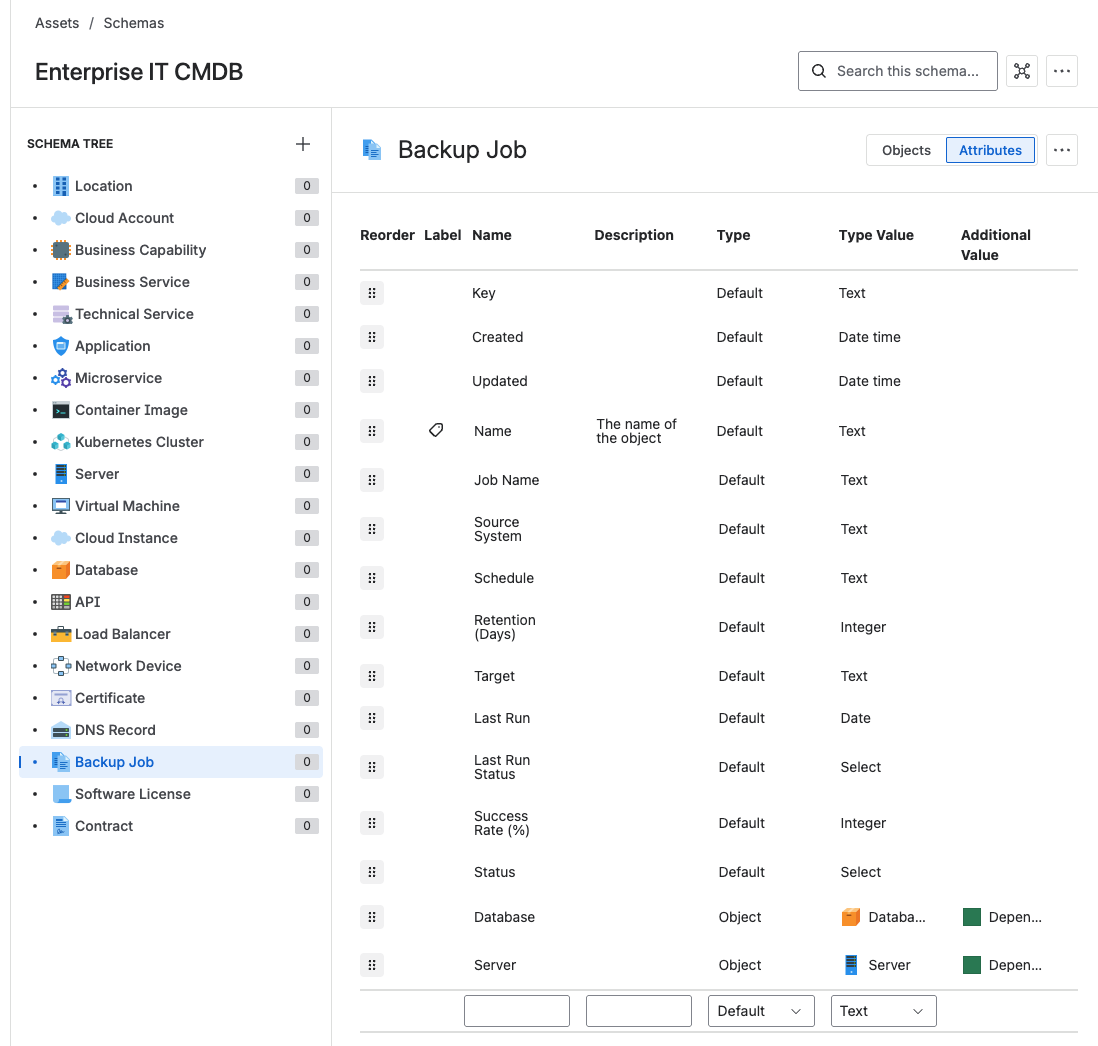
LaunchPad creates a complete, ready-to-use structure in Assets: services, supporting systems, ownership mapping, relationships between them, and consistent attribute definitions across every object type. You are not starting from a blank page.
For details on the installation process, see Install a service model.
2. Gives you a production-ready starting point
The structure LaunchPad creates is designed so you can link requests to services, assign ownership, and report on performance immediately. Those decisions are already made for you. You can always refine later, but you start with something that works now.
3. Provides proven models you can reuse
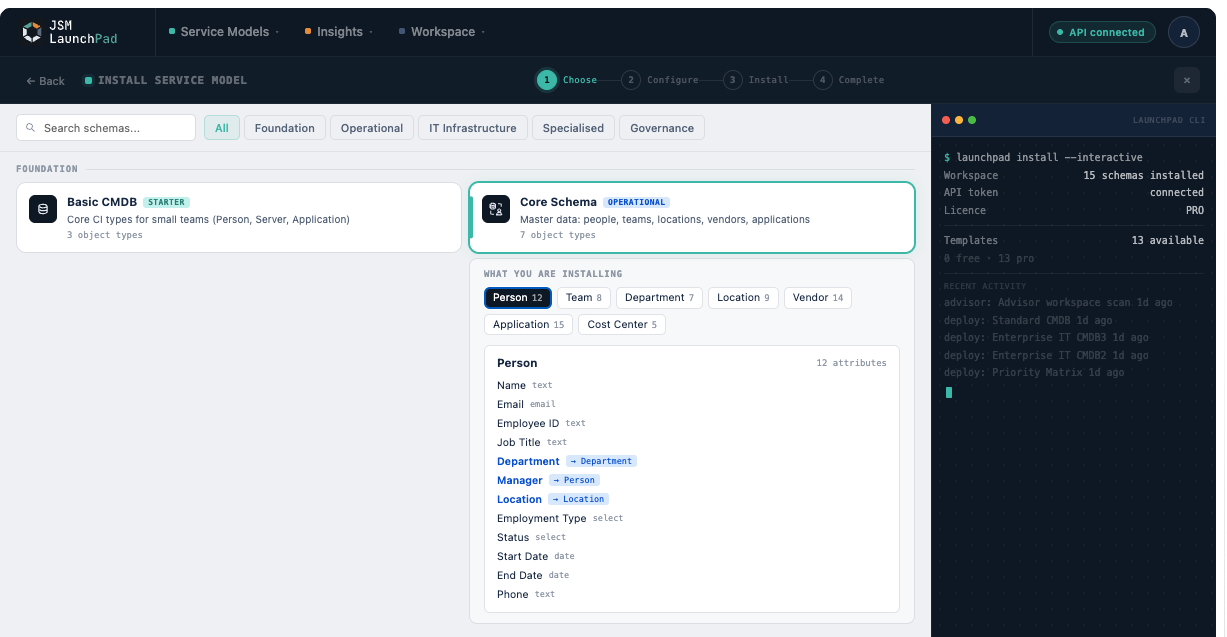
LaunchPad includes structured templates that reflect real operating environments: a standard service model, cloud infrastructure, service catalogue, vendor and software tracking, cybersecurity, workforce management, and more. These are not abstract reference architectures. They contain the object types, attributes, and relationships that teams actually need when running services in production.
4. Enables fast setup, not slow design
Without LaunchPad, teams debate structure for weeks. Naming becomes inconsistent. Ownership is unclear. Different spaces end up with different conventions, and nobody can report across them reliably. With LaunchPad, the structure is already in place. You move straight to using it.
5. Supports capabilities beyond installation
LaunchPad also provides:
- Import and Export: move schemas between environments as LaunchPad interchange JSON. See Import and Export.
- Environment Analysis (Pro): scans your Jira instance and recommends which templates to deploy. See Environment Analysis.
- Request Flow Analysis (Pro): scans a service desk space to find fields that could become Assets pickers. See Request Flow Analysis.
- Installed Service Models: browse existing Assets schemas and inspect object types, attributes, and relationships.
- Activity Stream: logs recent user actions on the home screen.
What LaunchPad does not do
1. It does not bring in your data
LaunchPad creates structure only. It does not import servers, users, applications, devices, or CMDB exports from other tools. You connect or import your own data after installation, either manually, through integrations, or using the Assets import features built into Jira.
2. It does not configure how your service desk behaves
LaunchPad does not build workflows, define SLAs, configure approval chains, or create request types. These are operational decisions that depend on how your organisation runs its services. LaunchPad creates the data model that those operational elements connect to, but the configuration itself is yours to define.
3. It does not replace service management practices
LaunchPad does not run incident management, change management, or service ownership governance for you. It enables these practices by giving you a consistent structure to work from. Think of it as the foundation, not the building.
4. It does not change existing spaces
Your Jira spaces remain completely untouched after installation. LaunchPad creates structure in Assets only. You connect spaces to those structures when you are ready, on your own terms.
5. It does not overwrite existing structures
LaunchPad is additive. It creates new structures, does not modify existing ones, and does not overwrite data. You can safely install it in live environments without risk to what is already there.
When LaunchPad is most useful
LaunchPad delivers the most value when you are starting Jira Service Management from scratch, introducing Assets for the first time, replacing spreadsheets or fragmented tracking with a proper service model, or standardising service data across multiple teams.
When you may not need it
If you already have a mature, stable structure in Assets, or heavily customised ownership models that work well, LaunchPad may not be necessary as a deployment tool. Even then, it can serve as a reference model or a validation baseline to compare your existing design against.
Recommended approach
Install a structure. Use it immediately. Understand what has been created before you start changing it. Do not begin by redesigning the schema to match a theoretical ideal. Most failures happen when teams customise too early, before they have spent enough time working with the structure as delivered.
LaunchPad does not run your service desk. It installs the structure your service desk depends on. Structure first. Then operation. Then optimisation.