Basic CMDB
Basic CMDB
Four object types. One hour. Your first working CMDB.
The Basic CMDB is the simplest schema in JSM LaunchPad. It gives you four object types (Person, Server, Application, Location) and the relationships between them. Nothing more, nothing less. It is purpose-built for small IT teams who need to stop tracking infrastructure in spreadsheets and start tracking it properly, without spending weeks designing a schema first.
What you get
| Object Type | Purpose | Key Attributes |
|---|---|---|
| Person | Staff and contacts responsible for infrastructure | Full name, email, department, active status |
| Server | Physical or virtual machines your team manages | Hostname, IP address, OS, environment, status |
| Application | Software systems running on your servers | Name, version, environment, status |
| Location | Physical or logical location for infrastructure assets | Name, address, city, country, type (Office, Data Centre, Cloud Region), status |
4 object types · 3 reference types
The relationships are straightforward: applications run on servers, servers are located at locations, and people manage both servers and applications. That visibility alone solves the most common questions in any IT team: "who manages this?" and "where does it live?"
Pro tip: The Basic CMDB is intentionally minimal. If you later need databases, networks, or cloud resources, you can upgrade to the Standard CMDB or layer additional schemas on top. Location gives you just enough infrastructure geography to support impact analysis and compliance scoping without overcomplicating the model. Nothing is lost.
When to use this schema
Choose the Basic CMDB if:
-
You have fewer than 100 servers and a small IT team.
-
You want a working CMDB before lunch, not a six-week design project.
-
Your immediate goal is simple asset tracking and ownership visibility.
-
You are new to Assets and want to learn the fundamentals with a manageable schema.
If you need more depth (databases, network devices, cloud infrastructure), look at the Standard CMDB instead. Not sure which schema fits? See Which Schema Should I Choose?
Schema at a glance
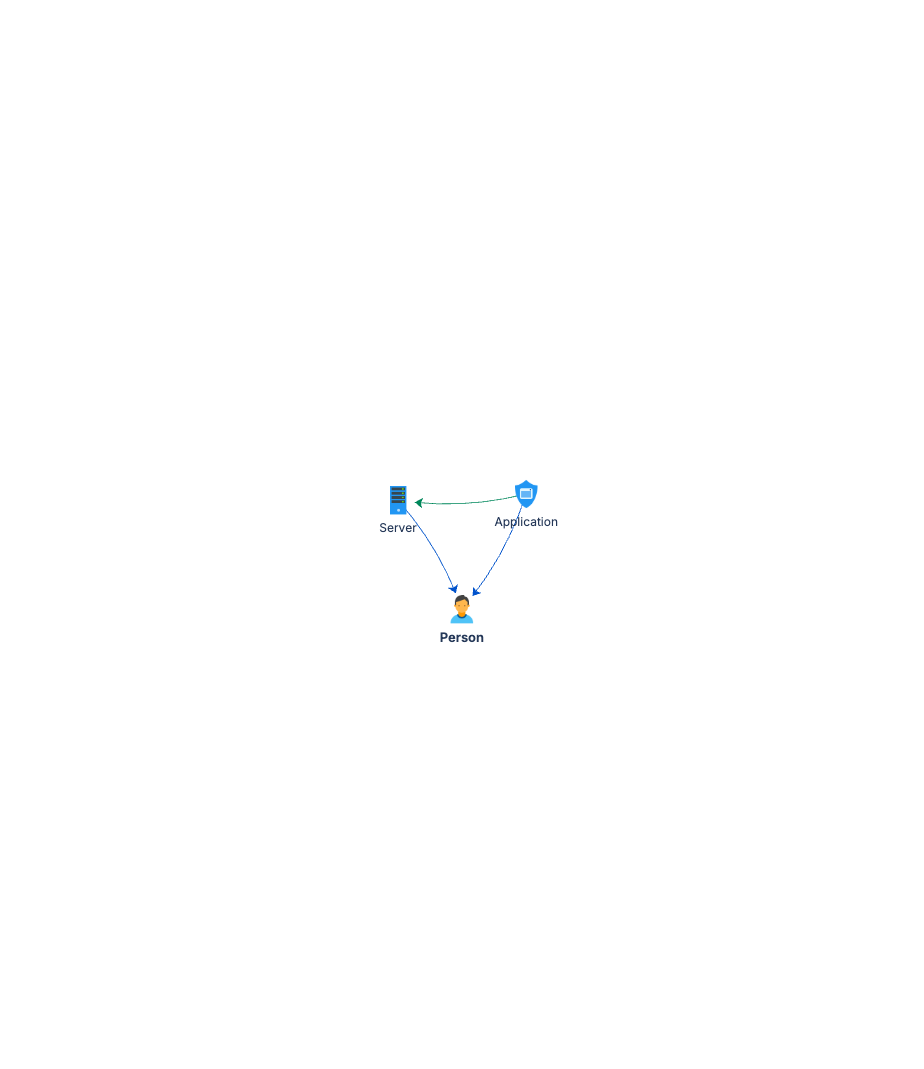
Server ── (Managed By) ──▶ Person
Server ── (Located At) ──▶ Location
Application ── (Managed By) ──▶ Person
Application ── (Runs On) ──▶ Server
Four object types, three reference types. You can deploy this in under an hour and start adding real data immediately.
Documentation
Quick Start Guide Step-by-step deployment guide. Takes you from zero to a working CMDB in under an hour, with starter data and verification queries.
Governance Playbook Lightweight data quality practices for a small schema. Covers ownership, review cadence, and when to upgrade.
Forms Specification Form layouts for Person, Server, Application, and Location. Copy-ready field configurations for Assets forms.