Discover
Discover
Most teams don't start from zero. They start from a mess.
Jira spaces that have been running for years. Service desks with dozens of request types. Custom fields that someone created in 2021 and nobody remembers why. The problem isn't that your organisation has nothing. It's that nobody can see what's already there, or what it adds up to.
Discovery is how you find out.
Two ways to scan
JSM LaunchPad includes two scanners. They look at different things, for different reasons.
Environment Analysis
Environment Analysis scans your entire Jira instance. Every space, every service desk, every custom field. It reads the names, normalises common synonyms, and filters out test and sandbox noise.
Then it scores what it finds against all thirteen LaunchPad templates.
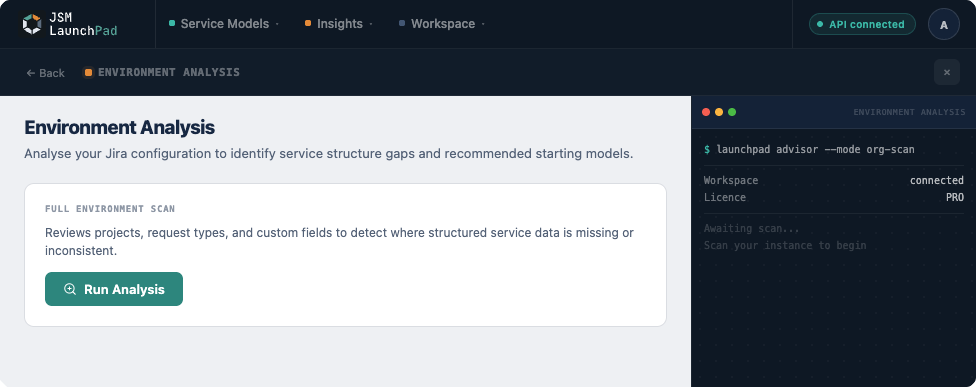
The result is a set of confidence-rated recommendations. Each one tells you which schema fits your environment, why it thinks so, and which specific spaces, fields, and service desks triggered the match. A typical scan takes three to five seconds.
Environment Analysis is available on all plans.
You're not committing to anything. You're getting a picture.
Request Flow Analysis
Request Flow Analysis focuses on a single service space. It examines your request types and custom fields to find enrichment opportunities: places where connecting your service desk to Assets would reduce manual work, improve data quality, or unlock automation.
It sorts what it finds into three tiers:
- Ready to configure. Can be connected to Assets immediately with no changes.
- Unlockable. Need a small adjustment (a renamed field, an added attribute) before they work.
- Possible. Would require more significant rework, but the opportunity is real.
Request Flow Analysis is available on Pro plans.
What you get
Neither scanner changes anything. They're read-only. What they give you is visibility.
From Environment Analysis:
- A clear picture of how much structure your Jira instance already has.
- Schema recommendations ranked by confidence, with the evidence behind each one.
- A starting point grounded in your actual environment, not a guess.
From Request Flow Analysis:
- A map of your service desk's request types and where they overlap with Assets object types.
- Concrete enrichment opportunities, sorted by effort.
- A realistic view of what's easy and what will take work.
Why this matters
The usual approach is to pick a schema and hope it fits. Or to spend weeks auditing your Jira instance by hand before making a decision.
Discovery replaces both. It reads your environment in seconds and tells you what you have, what fits, and where to start.
You don't need to start from zero. You start from what already exists.